
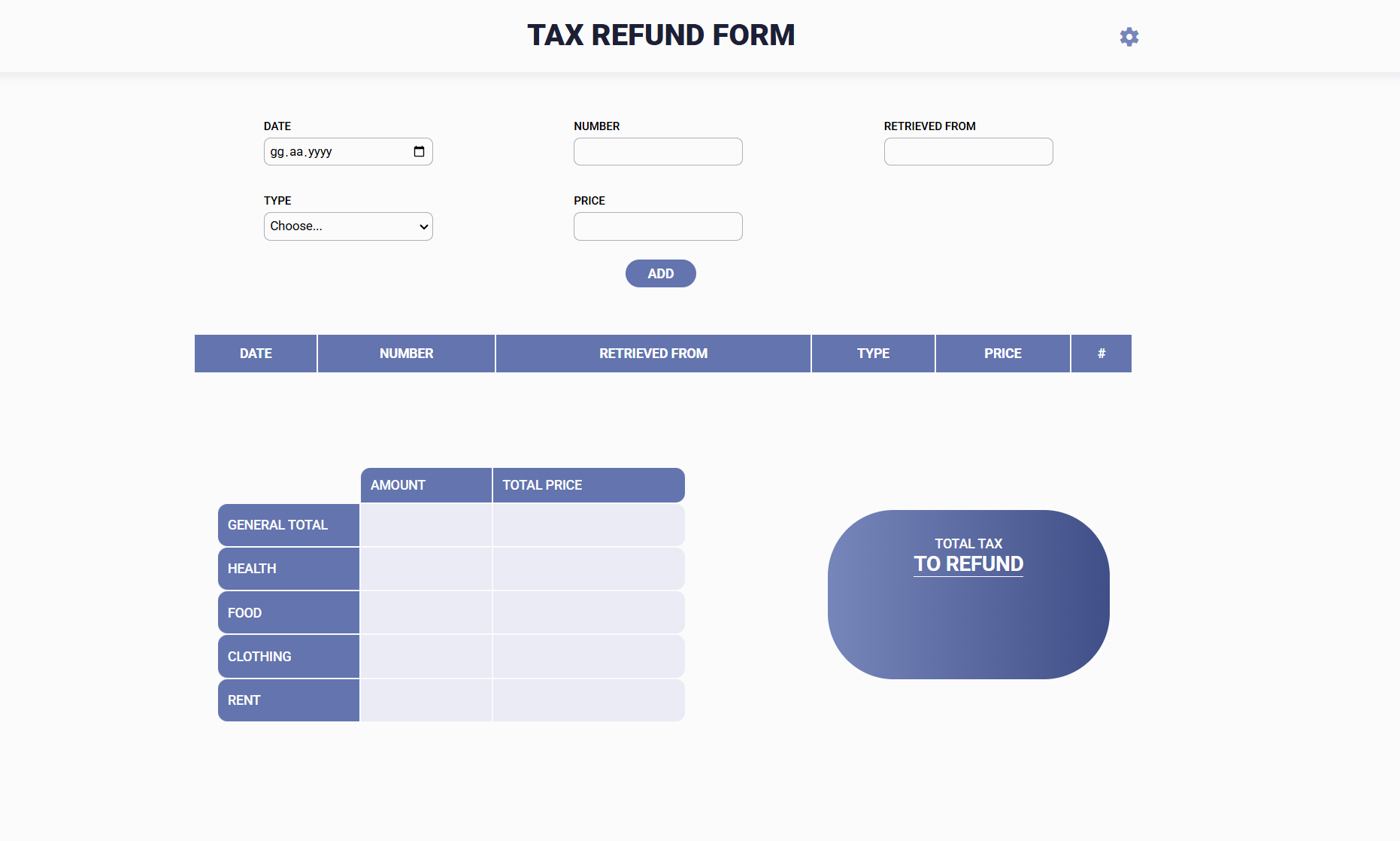
An enhanced version of the tax refund document management system with a modernized interface and advanced features. This application helps users track their expenses, calculate tax refunds, and manage tax-related documents efficiently.
New Features in v2.0
- 🎨 Completely redesigned responsive interface
- ⚙️ Configurable tax rate through settings panel
- 💰 Automatic tax refund calculations
- 📊 Interactive data table with delete functionality
Core Features
- Document entry with detailed information:
- Date
- Document/Receipt number
- Supplier information
- Expense type (Health, Food, Clothing, or Rent)
- Amount
- Automatic analysis and summaries:
- Quantity tracking per category
- Sum calculation per category
- General total calculations
- Tax refund amount calculation
Interface Components
- Main Entry Form:
- Date picker (DD.MM.YYYY format)
- Number input for document/receipt
- Retrieved from field
- Type dropdown selection
- Price input
- Add button
- Data Table:
- Delete functionality for each entry
- Summary Section:
- Category-wise amount totals
- Category-wise quantity tracking
- Total tax refund calculation
- Settings Panel:
- Tax rate configuration
Technologies Used
- HTML5
- CSS3 (with Flexbox/Grid for responsiveness)
- JavaScript (ES6+)
Usage Instructions
- Configure Tax Rate:
- Click the settings icon in the top right
- Set your applicable tax rate
- Add Expenses:
- Fill in the required fields
- Click "ADD" to insert the record
- Entry appears in the data table below
- Manage Records:
- View all entries in the table format
- Delete unwanted entries using the delete button
- View running totals and tax refund calculations
- View Analysis:
- Check category-wise totals
- Monitor expense distribution
- View calculated tax refund amount
Version History
- v2.0: Added responsive design, tax calculations, and interactive data table
- v1.0: Initial release with basic functionality
Source Code
If you’d like to check out the project or use it as a starting point for your own personal website, here’s the GitHub repository:
Live Preview
To view the project live, click the button below.

